

Key Takeaways
- HD (1080p) has about 2 million pixels; 4K has roughly 8 million - four times as many.
- 8K offers 33 million pixels but has very limited native content available today.
- Viewing distance and screen size determine whether a resolution upgrade is actually visible.
- Higher resolution alone doesn't guarantee a better picture - panel type and image processing matter too.
- Most streaming services cap 4K delivery based on your internet speed and subscription tier.
TV Resolution
TV resolution refers to the number of individual pixels that make up the image on a screen. Pixels are tiny colored dots; more of them means a potentially sharper, more detailed picture. Resolution is expressed as the total number of pixels arranged horizontally and vertically across the display.
Resolution is commonly described by the vertical pixel count (e.g., 1080p) or a marketing shorthand for approximately that many horizontal pixels (e.g., 4K ≈ 3,840 horizontal pixels). The two naming conventions coexist in specs and advertising.
What Resolution Actually Measures
Every TV image is built from a grid of pixels - microscopic squares of color and light. Resolution tells you how many of those pixels are packed into the display. A higher pixel count means finer detail is possible, because the dots are smaller and harder to distinguish individually.
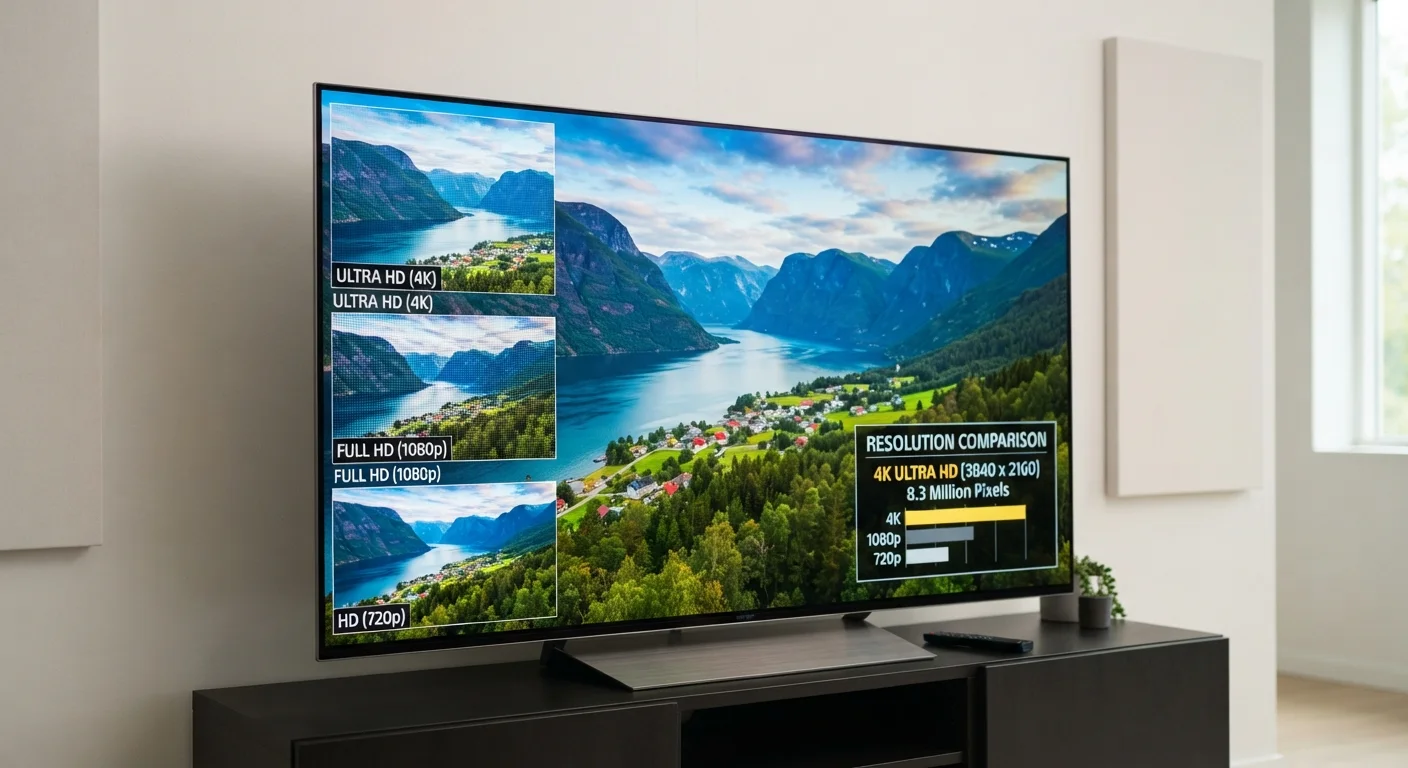
Resolution is written as two numbers: horizontal pixels × vertical pixels. A 1080p Full HD TV has 1,920 columns and 1,080 rows of pixels, totaling about 2.1 million pixels. A 4K TV measures 3,840 × 2,160 - roughly 8.3 million pixels, or four times as many.
The shorthand labels - HD, Full HD, 4K, 8K - are marketing terms that correspond approximately to those pixel counts. Understanding the actual numbers helps cut through the labeling confusion. For a broader glossary of display terms, see the consumer electronics glossary.
8.3M
Pixels in a 4K Ultra HD display
A 4K screen (3,840 × 2,160) contains approximately 8.3 million pixels - four times the count of a Full HD 1080p panel.
4×
Pixel count increase from 1080p to 4K
Each step up in the resolution ladder roughly quadruples the total pixel count, with 8K delivering sixteen times the pixels of 1080p.
15-25 Mbps
Typical internet speed needed for 4K streaming
Major streaming platforms generally recommend a sustained connection speed in this range to deliver stable 4K video without quality drops.
HD, Full HD, 4K, and 8K: The Breakdown
HD (720p) - 1,280 × 720 pixels. This was the original high-definition standard and is now largely obsolete for TVs, though it still appears in some smaller or budget displays and older broadcast formats.
Full HD (1080p) - 1,920 × 1,080 pixels. The dominant standard for broadcast TV, Blu-ray, and a large share of streaming content. Still a perfectly capable resolution for screens up to about 55 inches at normal viewing distances.
4K (Ultra HD) - 3,840 × 2,160 pixels. Now the mainstream choice in mid-range and larger TV segments. The jump from 1080p to 4K is meaningful on large screens viewed up close - detail like fine textures and text becomes visibly crisper.
8K - 7,680 × 4,320 pixels. Sixteen times the pixel count of Full HD. Current consumer 8K TVs rely almost entirely on upscaling because native 8K programming is not yet widely distributed. The practical benefit for typical home viewing remains limited at this stage.
The "4K" Label Isn't Always Exact
Strictly speaking, 4K originates from the cinema industry where it denotes 4,096 horizontal pixels. Consumer TVs marketed as "4K" use 3,840 horizontal pixels - technically "Ultra HD" (UHD). The terms are used interchangeably in retail and advertising, so you'll see both on spec sheets. The difference is small enough that it has no practical impact on everyday viewing.
When Does Resolution Actually Matter?
Pixel count alone doesn't determine what you see. Two factors shape whether a resolution upgrade is visible: screen size and viewing distance. Human eyes can only resolve so much detail at a given distance. On a 40-inch screen viewed from 10 feet away, 4K and 1080p can look nearly identical - your eyes simply can't distinguish the additional pixels.
A general guideline: for 4K to deliver a clearly sharper image over 1080p, you typically need a screen of 55 inches or larger and a viewing distance of roughly 5-8 feet. Closer seating on a large screen makes the difference more apparent.
Panel technology, local dimming, and color processing also shape picture quality independently of resolution. Two TVs with identical 4K specs can look noticeably different based on how the panel handles contrast and color. The differences between OLED, QLED, and LED panels explain that dimension of picture quality in detail.
Use a Viewing Distance Calculator
Before deciding whether to prioritize 4K over other picture-quality factors, measure your actual viewing distance and screen size. Several TV manufacturers and independent consumer technology sites publish viewing distance charts that show the screen size at which a resolution upgrade becomes perceptible at a given distance. This can save you from paying a premium for a difference you won't see in your room.
Resolution and Your Source Content
A 4K TV can only display native 4K when the content being fed to it is actually 4K. Most broadcast television in the US still delivers at 1080i or 720p. Streaming services offer 4K libraries, but access depends on your subscription plan and your internet connection speed - typically 15-25 Mbps or more for stable 4K streaming.
When the source isn't 4K, the TV uses a process called upscaling - mathematically estimating what extra pixels would look like and filling them in. Upscaling improves on displaying a lower-resolution signal at native size, but it isn't equivalent to true 4K content. The quality of a TV's upscaling processor varies significantly between models and price points.
Resolution is one piece of a larger picture-quality puzzle. Motion clarity, handled by refresh rate, is a separate spec worth understanding alongside resolution - our refresh rate explainer covers that in plain terms.