

Key Takeaways
- Android offers more hardware variety and customization; iOS is more tightly controlled but consistently polished.
- iOS devices typically receive software updates for longer periods than most Android phones.
- Switching platforms later is possible but can be inconvenient due to app purchases and ecosystem ties.
- Both platforms offer strong security - the key difference is where control sits: with you or with the platform.
- Your existing devices, services, and habits are often the most practical factor when choosing.
Our Verdict
Neither Android nor iOS is objectively superior - each suits a different kind of user. Android rewards those who want flexibility and a wide range of hardware options, while iOS tends to work best for people who value simplicity, long-term software support, and tight integration with Apple devices. For most people, the platform that fits their existing habits and devices will feel better from day one.
| Best for | Recommended |
|---|---|
| Those who want more control over their device and interface | Android |
| Those already using other Apple devices like a Mac or iPad | iOS |
| Those on a tighter budget seeking hardware options | Android |
| Those who prioritize straightforward long-term software updates | iOS |
The Core Difference: Philosophy, Not Just Features
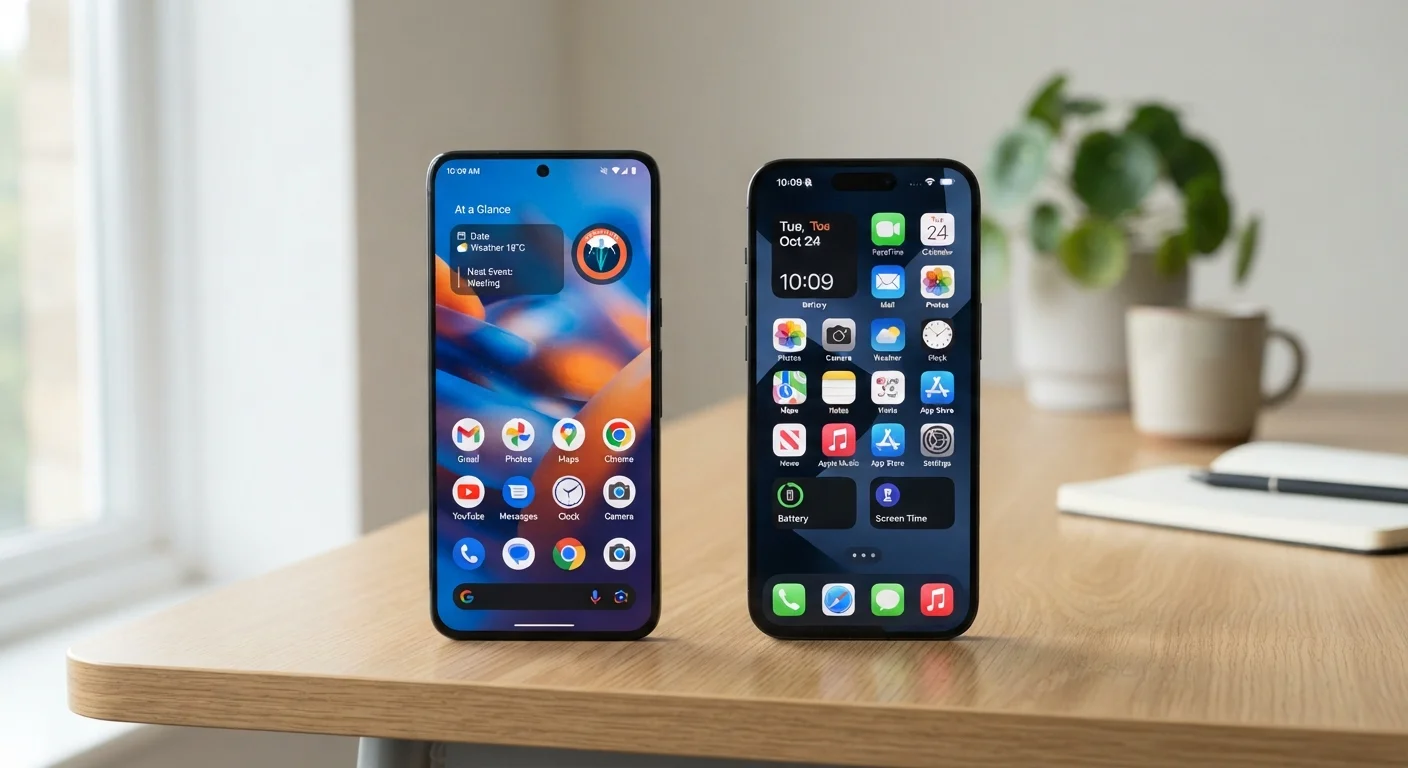
Android and iOS aren't just two operating systems - they represent two different ideas about how a smartphone should work. Android, developed by Google, is an open platform: it runs on phones made by many different manufacturers, and it lets users customize their experience significantly. iOS, developed by Apple, runs exclusively on iPhones and reflects a more curated, controlled approach where Apple manages most of what happens on the device.
Neither philosophy is wrong. Open platforms give users more options and flexibility; controlled platforms tend to deliver a more predictable, consistent experience. Understanding which approach suits your life is more useful than comparing spec sheets. If you're starting from scratch, this no-jargon smartphone guide is a good place to build context before diving deeper.
Daily Use: What's Actually Different?
In everyday use, both platforms handle calls, messaging, photos, navigation, and streaming without meaningful differences for most people. Where they diverge is in the details.
Customization: Android lets you change your default apps, rearrange your home screen layout, and install apps from sources outside the main app store. iOS keeps things more standardized - you can personalize within limits, but the overall structure stays consistent.
Hardware choice: Android runs on phones ranging from budget-friendly to flagship, from compact to oversized, from basic cameras to advanced multi-lens systems. With iOS, your hardware choice is an iPhone - and while Apple's lineup offers a few size and capability tiers, the range is narrower by design.
App availability: Both platforms carry the vast majority of popular apps. Some apps launch first on iOS; others appear only on Android. Niche apps - especially regional or specialized tools - are sometimes only on one platform.
| Android | iOS | |
|---|---|---|
| Hardware variety | Many manufacturers, wide price range | Apple iPhones only, limited tiers |
| Customization | High - defaults, layout, sideloading | Moderate - within Apple's structure |
| Software update length | Varies by maker; often 3-5 years | Typically 5-6 years per device |
| Privacy controls | Improving; varies by manufacturer | Strong, consistent platform-wide |
| Ecosystem fit | Best with Google/Windows devices | Best with other Apple devices |
| App availability | Broad; some apps Android-only | Broad; some apps launch here first |
Software Updates and Long-Term Support
How long your phone receives updates matters more than most buyers realize. Updates aren't just new features - they include security patches that protect your device against threats discovered after it was built. For a deeper look at what updates actually do, see what software updates really change inside your device.
Apple has a strong track record of delivering iOS updates to iPhones for five to six years after a device launches. Android support timelines vary considerably by manufacturer - some commit to four or five years of updates, while others provide fewer. If you plan to keep a phone for several years, this gap is worth factoring in seriously.
Check the Update Commitment Before You Buy
When comparing Android phones, look up the manufacturer's stated update policy before purchasing. Some now commit publicly to four or five years of security patches - others are less specific. Knowing this upfront helps you gauge how long a phone will stay secure and current without relying on assumptions.
Privacy, Security, and Data
Both platforms have made significant investments in security, and both are reasonably safe for everyday users who follow basic precautions. The distinction is more about approach than outcome.
Apple has built its brand around privacy, offering features that limit how apps track your behavior and giving users clear signals when location, camera, or microphone access is requested. Google's business model is closely tied to data and advertising, though Android has added more user-facing privacy controls in recent years.
Neither platform is immune to threats. Security depends heavily on user habits - practical security habits that make a real difference apply regardless of which platform you choose.
~55%
Global smartphone market share (Android)
Android consistently holds a majority of global smartphone market share, according to multiple industry tracking firms, though iOS dominates in the US.
5-6 years
Typical iOS software support window
Apple has supported some iPhone models with software updates for up to six years after release, according to publicly documented update histories.
Ecosystem Lock-In: The Bigger Picture
One of the most underappreciated factors in choosing a platform is how tied-in you'll become over time. Both Android and iOS create ecosystems - interconnected services, apps, and devices that work better together.
If you already use a Mac, iPad, or Apple Watch, an iPhone slots in naturally: shared clipboard, seamless AirDrop transfers, unified messaging, and synchronized calendars all just work. If your setup is Windows and Android, the same logic applies in reverse - Google services tend to connect more fluidly across non-Apple hardware.
Switching platforms later is entirely possible, but it's not painless. Paid apps generally don't transfer between platforms, iMessages don't automatically port to Android, and services like iCloud or Google Photos have their own migration quirks. The longer you stay on a platform, the more embedded you become. It's worth thinking about that early rather than later. If a switch is already on your mind, everything to know before upgrading your phone can help you prepare.
One more consideration: whether you buy a carrier-locked or unlocked phone affects your flexibility regardless of platform. Understanding what locked and unlocked phones actually mean can save headaches down the line.