

Key Takeaways
- Refresh rate measures how many times per second a display redraws its image.
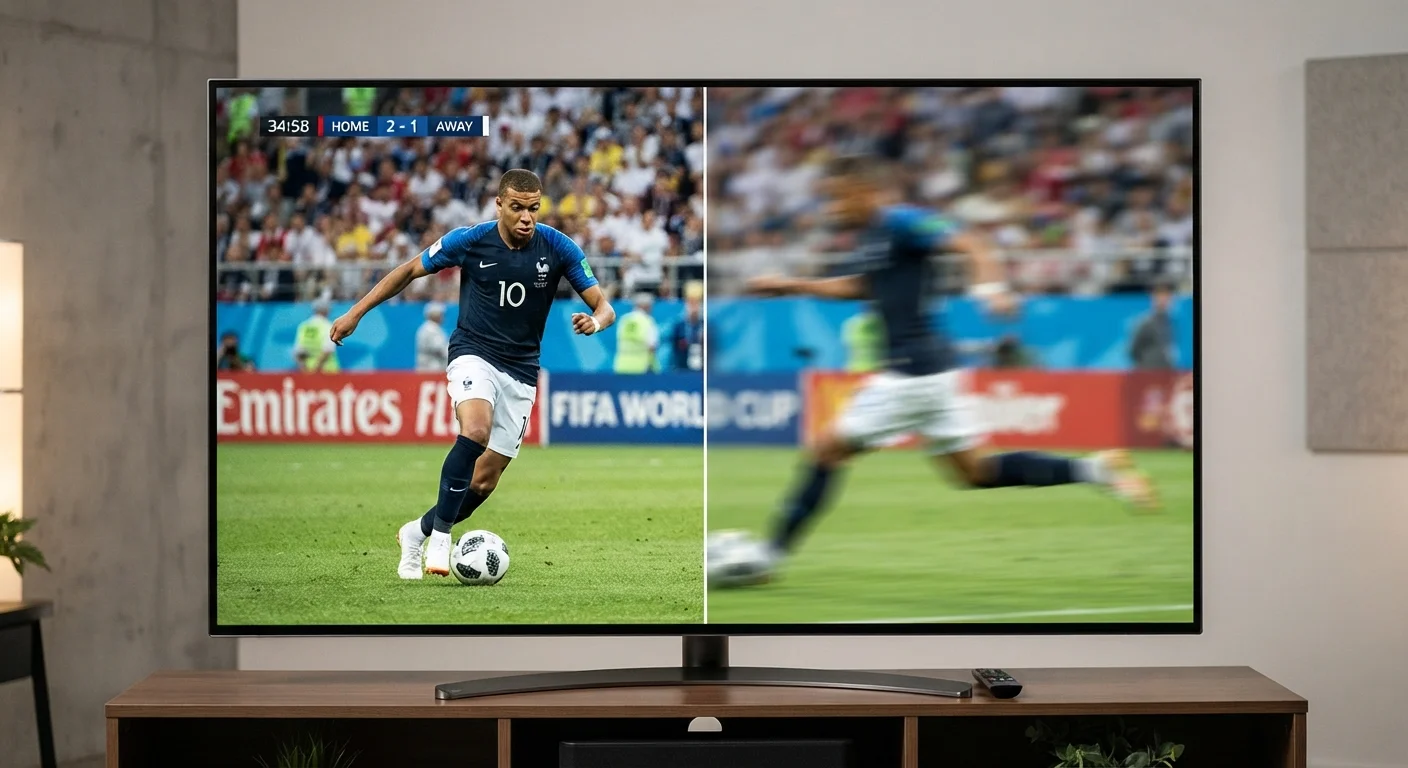
- 120Hz visibly reduces motion blur compared to 60Hz, particularly for sports and gaming.
- Source content must support a higher frame rate for the full benefit to appear on screen.
- Many manufacturer claims of '120Hz equivalent' use software processing, not a true native panel rate.
- For typical movie and TV streaming, 60Hz is often sufficient for most viewers.
Refresh Rate
Refresh rate is how many times per second your TV or monitor redraws the image on screen, measured in hertz (Hz). A 60Hz display updates 60 times every second; a 120Hz display updates 120 times. More updates per second generally means smoother motion, especially during fast-moving content like sports or action films.
Refresh rate is a panel specification distinct from frame rate - the number of frames a source device (like a gaming console or streaming service) actually delivers. The two must align for a higher refresh rate to deliver visible benefit.
How Refresh Rate Works
Think of a display as a flip-book. Each page is a single frame, and flipping faster creates the illusion of smooth motion. Refresh rate - measured in hertz (Hz) - is simply how fast your screen flips those pages every second.
At 60Hz, the image redraws 60 times per second. At 120Hz, it redraws 120 times. Each redraw captures a slightly updated position of whatever is moving on screen. More redraws per second means finer steps between positions, which registers to the human eye as smoother, less blurry motion.
It's worth separating two related but different ideas: refresh rate (a display hardware spec) and frame rate (how many frames the source - a streaming service, Blu-ray player, or gaming console - actually sends). A 120Hz TV receiving a 30fps stream will either repeat frames or use software to fill the gaps. The panel can refresh quickly, but it can only be as smooth as the incoming signal allows.
Hz vs. fps: A Key Distinction
Hertz (Hz) describes your display's capability; frames per second (fps) describes what your source device delivers. A 120Hz TV can show up to 120 frames per second - but only if the source sends that many. When the two figures don't match, the TV either repeats frames or uses processing to fill the gap.
When 120Hz Makes a Visible Difference
The clearest scenario where 120Hz earns its keep is live sports. A ball crossing a soccer field or a hockey puck skidding across ice involves rapid lateral movement. At 60Hz, fast panning shots produce visible trailing blur. At 120Hz, the same shot appears noticeably crisper because the display has twice as many opportunities to capture each position of the moving object.
Gaming is the other major beneficiary. Modern consoles and gaming PCs can output 120 frames per second, and when paired with a 120Hz display, the result is genuinely smoother gameplay and reduced input lag - the tiny delay between a controller input and on-screen response. Competitive gamers in particular notice this difference.
For standard movie and TV content - filmed at 24fps and streamed at 30 or 60fps - the jump from 60Hz to 120Hz is far less dramatic. The source simply doesn't deliver enough frames to use the extra headroom. You may see subtle improvements during panning shots, but most casual viewers won't register a meaningful change.
120fps
Max frame rate supported by current major gaming consoles
Both leading current-generation gaming consoles support up to 120 frames per second output when connected to a compatible 120Hz display.
24fps
Standard frame rate for most cinematic film content
The majority of Hollywood films and streaming dramas are mastered and delivered at 24 frames per second, leaving 120Hz panels with limited benefit for that content type.
16ms
Frame display time at 60Hz
At 60Hz, each frame is on screen for approximately 16 milliseconds; at 120Hz that drops to about 8ms, which is where motion clarity and input lag improvements originate.
Decoding Manufacturer Refresh Rate Claims
TV spec sheets often list eye-catching numbers like 240Hz, 480Hz, or even higher. These rarely reflect the panel's actual native refresh rate. Instead, they describe a manufacturer's effective or equivalent rate - a marketing figure that blends the native panel speed with motion-processing software, backlight strobing, or frame interpolation algorithms.
When evaluating a TV, look specifically for native refresh rate. A native 120Hz panel genuinely redraws the image 120 times per second in hardware. An "effective 240Hz" TV might have a native 60Hz panel with processing layered on top - a fundamentally different (and lesser) capability.
How to Spot a True Native Refresh Rate
Look for the word 'native' alongside the Hz figure in a TV's specifications. If a spec sheet lists a high number without that qualifier - or uses terms like 'effective,' 'equivalent,' or a brand-specific motion-processing name - that figure likely reflects processed performance rather than raw panel hardware. Checking independent spec databases can help confirm a panel's true native rate.
Refresh rate is just one piece of the picture quality puzzle. To understand how it interacts with panel technology, see our guide to OLED, QLED, and LED differences. And if resolution specs are similarly confusing, TV resolution explained walks through what 4K and 8K actually mean for your viewing experience.
Making a Practical Decision
Your usage pattern should drive the choice. If your household primarily watches streamed movies and episodic TV, a quality 60Hz panel will serve you well - the content rarely takes advantage of anything higher. If live sports dominate your viewing or someone in the home plays video games on a current-generation console, a native 120Hz display offers a genuine, observable improvement.
Also consider what's connected to the TV. Older cable boxes, streaming sticks, and DVD players cap out well below 120fps. A 120Hz TV receiving a 30fps signal still shows 30fps content - it just has room to grow if your setup evolves.
Motion smoothing - the processing feature that generates artificial in-between frames - is separate from native refresh rate. Many viewers dislike how it makes filmed content look hyper-real, a phenomenon sometimes called the "soap opera effect." Fortunately, it can almost always be disabled in the TV's picture settings without affecting the panel's underlying refresh capability.