

Key Takeaways
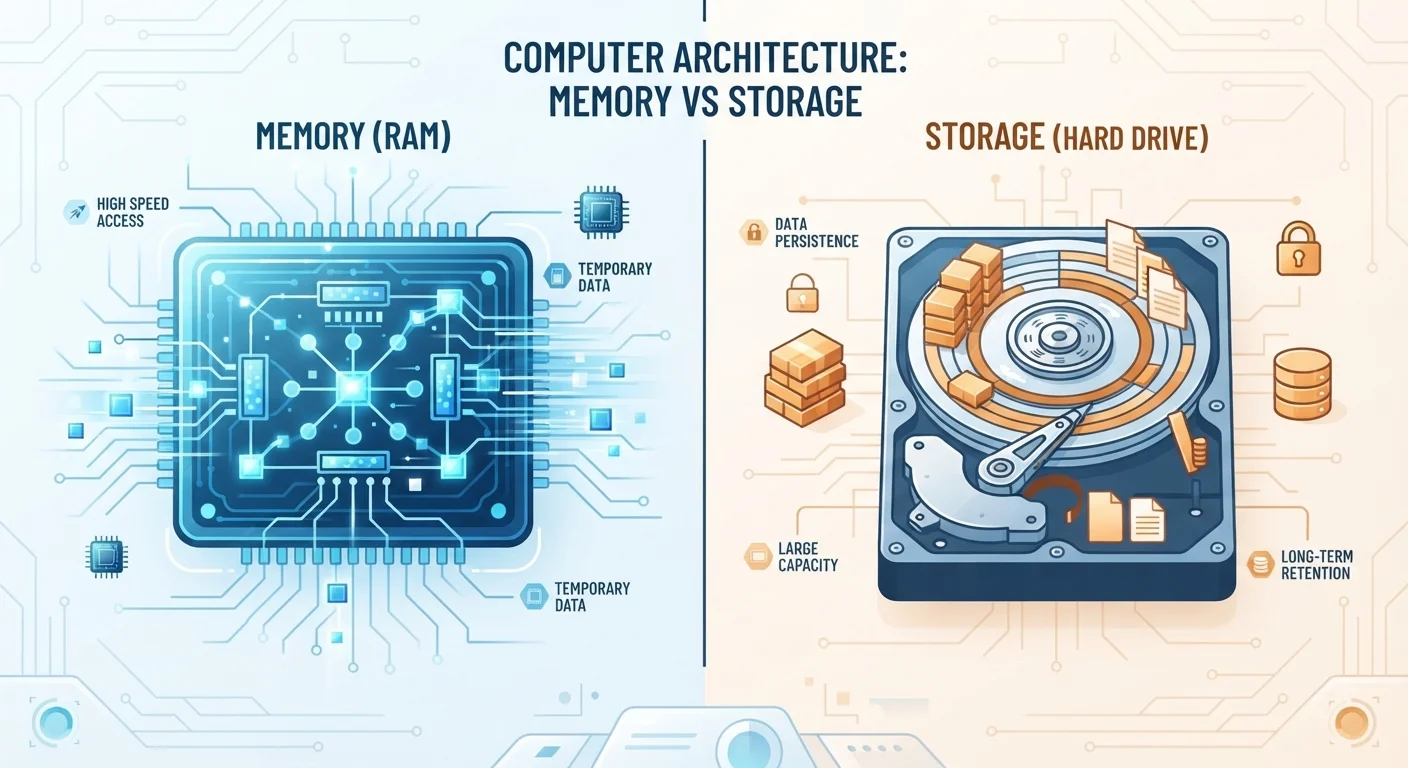
- RAM temporarily holds data for active tasks; storage permanently holds files and apps.
- Both are measured in gigabytes (GB), which is why they're so often confused.
- More RAM makes multitasking smoother; more storage means room for more files.
- Filling up storage can slow a device down, but it's a different problem from low RAM.
- Most users benefit from understanding both numbers before choosing a phone or laptop.
Option A
RAM (Random Access Memory)
Your device's short-term working memory.
Best for: Handling tasks actively running right now - apps, browser tabs, and multitasking.
Option B
Storage
Your device's long-term filing cabinet.
Best for: Holding photos, apps, music, documents, and everything else when the device is off.
If you multitask heavily - switching between many apps or browser tabs
Prioritize RAM
More RAM keeps active apps running smoothly without constant reloading or slowdowns when switching between tasks.
If you take lots of photos, download music, or install many apps
Prioritize Storage
Storage capacity determines how many files and apps your device can hold permanently - low storage means you'll constantly manage space.
If you rely heavily on cloud services for photos and documents
Storage matters less
Offloading files to the cloud reduces on-device storage pressure, though RAM still affects day-to-day app performance.
If your device feels sluggish even with few files saved
Consider RAM first
Slowdowns during active use - not related to a full drive - often point to insufficient RAM for the apps you're running.
Why the Confusion Happens
When shoppers compare phones or laptops, they see two numbers measured in gigabytes (GB): one for RAM, one for storage. Since both use the same unit, it's natural to blur them together. But the similarity ends there - each one does a fundamentally different job, and running low on one creates a very different problem than running low on the other.
Think of it this way: RAM is like a desk surface, and storage is like a filing cabinet. The desk holds what you're actively working on right now. The filing cabinet stores everything else. A small desk makes it hard to spread out your work; a small filing cabinet means you can't keep as many files in the office at all.
For a deeper look at how these concepts apply specifically to smartphones, see our full breakdown of phone memory and storage.
How RAM Works in Practice
RAM - short for Random Access Memory - is your device's active workspace. When you open an app, your device loads it from storage into RAM so the processor can work with it quickly. RAM is fast, but it's temporary: the moment you close an app or shut down the device, that data clears out.
This is why RAM directly affects how smoothly your device multitasks. If you have eight browser tabs, a music app, and a messaging app all open, each one is occupying a portion of your RAM. When RAM fills up, the operating system starts suspending background apps - which is why you sometimes notice apps "reloading" when you return to them.
4-8 GB
Typical RAM in modern smartphones
Most mid-range smartphones ship with 4 to 8 GB of RAM, with flagship models increasingly offering 12 GB or more for demanding workloads.
~4 GB
Average size of one hour of 4K video
A single hour of 4K footage can consume roughly 4 GB of storage, illustrating how quickly high-resolution content fills on-device space.
More RAM doesn't help you store more photos. It helps you keep more things running at once without interruption.
How Storage Works in Practice
Storage - whether it's the solid-state drive (SSD) in a laptop or the internal memory in a smartphone - holds everything that needs to persist: your operating system, every installed app, photos, videos, music, and documents. Unlike RAM, storage retains data when the device is powered off.
Storage capacity determines what you can keep on a device long-term. A phone with 64 GB of storage fills up much faster than one with 256 GB, especially for users who shoot video or download content. When storage gets critically full, devices can slow down because the operating system needs space to perform routine tasks like creating temporary files.
If you're weighing on-device storage against saving to the cloud, our article on cloud vs. on-device storage explains the real trade-offs between the two approaches.
| Criterion | RAM | Storage |
|---|---|---|
| Primary function | Active working memory | Long-term file and app holding |
| Data persistence | Clears when device powers off | Retained when device powers off |
| Speed | Very fast | Slower than RAM, faster than older HDDs |
| Typical sizes (phones) | 4 GB - 16 GB | 64 GB - 1 TB |
| What happens when it's full | Apps reload or slow down | Can't save new files; may slow OS |
| Affects multitasking | Yes - directly | Indirectly, when critically low |
| Holds your photos and apps | No | Yes |
Which Number Matters More for You?
The honest answer is that both matter - just for different reasons. A device with ample storage but minimal RAM will struggle under a heavy workload. A device with plenty of RAM but little storage will run out of room for files quickly.
For most everyday users, a practical approach is to consider your habits. If you tend to keep many apps open simultaneously, stream video, or use demanding applications, RAM deserves attention. If you capture a lot of photos and video, prefer to keep files locally rather than in the cloud, or install many apps, storage capacity should weigh more heavily in your decision.
Storage and RAM Aren't Interchangeable
Some devices allow you to expand storage via a memory card slot, but adding a memory card does not increase RAM. These are separate hardware components. Similarly, freeing up storage space by deleting files will not speed up an app that's struggling due to insufficient RAM. Each resource has its own ceiling and its own solution.
Neither specification alone tells the whole story of a device's performance - processors, software efficiency, and display quality all play roles too. But understanding RAM and storage as separate, distinct resources is a solid foundation for making more informed choices.